8.4 Human-Machine Interface Design

🏭Intro to Industrial Engineering Unit 8 Review
8.4 Human-Machine Interface Design
🏭 Intro to Industrial Engineering
Human-machine interaction principles

Top images from around the web for Fundamentals of HMI design
Frontiers | Designing Smart Objects to Support Affording Situations: Exploiting Affordance ... View original
Is this image relevant?
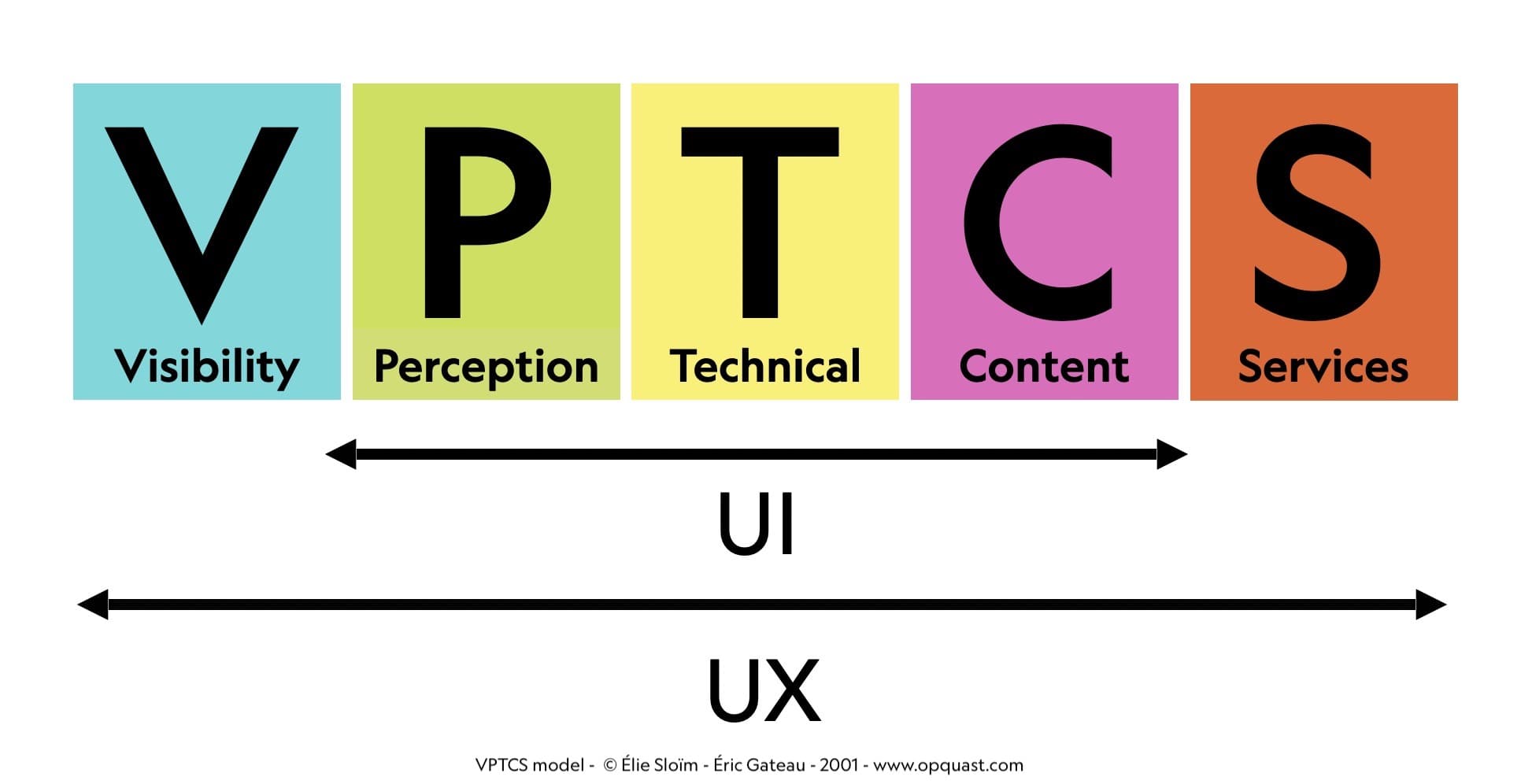
The VPTCS model – Opquast View original
Is this image relevant?
Frontiers | Limb apraxia and the “affordance competition hypothesis” View original
Is this image relevant?
Frontiers | Designing Smart Objects to Support Affording Situations: Exploiting Affordance ... View original
Is this image relevant?
The VPTCS model – Opquast View original
Is this image relevant?
Fundamentals of HMI design
A human-machine interface (HMI) is the point of contact between a person and a system. In industrial settings, HMI design covers how you build, evaluate, and implement interactive systems that workers use to control equipment, monitor processes, and make decisions. Good HMI design makes these interactions intuitive, efficient, and resistant to errors.
Six core principles guide effective HMI design:
- Visibility ensures important controls and information are easy to see and find
- Feedback gives clear responses to user actions through visual, auditory, or tactile cues (a button changing color when pressed, a beep confirming input)
- Constraints limit possible actions to prevent errors. These can be physical (a plug that only fits one way) or logical (graying out unavailable menu options)
- Mapping creates a natural relationship between controls and their effects. A steering wheel is a classic example: turn it left, the car goes left
- Consistency keeps similar operations and elements uniform across the interface, so users don't have to relearn things on each screen
- Affordance means an object's design suggests how it should be used. A door handle shaped for pulling looks like you should pull it
Cognitive ergonomics is the branch of HMI that focuses on how people process information and make decisions while interacting with machines. It addresses three concerns:
- Managing mental workload so users aren't overwhelmed (e.g., simplifying displays for complex systems)
- Supporting skilled performance for expert users (e.g., customizable interfaces with shortcuts)
- Improving human reliability through error-prevention features (e.g., confirmation prompts before critical actions)
Impact and evolution of HMI
Well-designed HMIs have measurable effects on industrial operations. They improve productivity by streamlining workflows (touchscreen interfaces for faster data entry), enhance safety through clear information presentation (high-contrast warning signals), and increase user satisfaction by reducing fatigue and stress (ergonomic control layouts).
HMI design also has to account for the people actually using the system:
- Expertise levels differ, so interfaces may offer novice vs. expert modes
- Cultural backgrounds affect how users interpret colors and symbols
- Physical limitations require accommodations like adjustable font sizes or voice control
Technological advances keep expanding what's possible. Touchscreens enable direct manipulation of digital objects. Voice recognition allows hands-free control in noisy factory environments. Augmented reality can overlay maintenance instructions directly onto the equipment being serviced.
Factors influencing interface usability
Usability and cognitive considerations
Usability is typically measured along five dimensions, originally outlined by Jakob Nielsen:
- Learnability: How easily can a new user perform basic tasks on first encounter?
- Efficiency: How quickly can a trained user complete tasks?
- Memorability: Can users return after a break and still remember how to use the interface?
- Error prevention: Does the design minimize mistakes through clear labeling, undo functions, and logical constraints?
- User satisfaction: Is the overall experience pleasant and not frustrating?
Cognitive load theory directly informs HMI design. There are three types of cognitive load to manage:
- Extraneous load comes from unnecessary complexity. Remove decorative elements that don't serve a function.
- Intrinsic load comes from the task itself. Break complex tasks into smaller steps to make them manageable.
- Germane load is the mental effort spent actually learning. Support it with scaffolding like tooltips or guided tutorials for new features.
Task complexity and frequency also shape design choices. Complex, infrequent tasks benefit from detailed guidance like step-by-step wizards. Simple, frequent tasks need streamlined interfaces where a single click gets the job done.

Physical and environmental factors
Physical ergonomics determine whether an interface is comfortable and safe to use over a full shift:
- Reach distances should keep controls within a comfortable arm's length (adjustable control panels help)
- Visual angles should position displays so users can read them without neck strain (tilting screens are common)
- Input device design must consider hand size and dexterity. In many industrial settings, operators wear gloves, so buttons need to be large enough to press accurately
Environmental conditions matter just as much. Bright outdoor lighting demands anti-glare screens. High noise levels mean auditory feedback won't be heard, so visual alerts become essential. Environments full of distractions call for interfaces that make critical information visually prominent.
Cultural and linguistic factors become important when interfaces are deployed globally. Multi-lingual support and clear translations are baseline requirements. Symbol interpretation varies across cultures, and even color associations differ: red signals danger in Western cultures but is associated with good fortune in Chinese culture.
Automation and human control
The level of automation in a system directly shapes what the interface needs to do. Fully automated systems primarily need monitoring interfaces like status dashboards. Semi-automated systems need intuitive controls for human intervention, such as clearly marked override buttons.
A key challenge is balancing automation with situational awareness. If a system handles everything automatically, operators can become complacent and lose track of what's happening. Good design addresses this by:
- Providing clear feedback on what automated processes are doing (process visualizations)
- Allowing manual control options so operators stay engaged (user-initiated system checks)
Function allocation between humans and machines should play to each side's strengths. Humans excel at decision-making, adaptability, and handling novel situations. Machines excel at rapid, precise, repetitive actions like automated emergency shutdowns. The interface should be designed around this division.
User-centered design for industrial systems
UCD process and research methods
User-centered design (UCD) is an iterative approach that keeps the user's needs at the center of every development decision. It follows four phases:
- Research: Gather information about users, their tasks, and their requirements
- Design: Create solutions based on what you learned in research
- Evaluation: Test those designs with actual users
- Implementation: Incorporate feedback into the final product, then cycle back as needed
Contextual inquiry is a research method that gives designers a deep understanding of the user's real environment. It involves observing users in their actual work setting (on the factory floor, not in a conference room), conducting interviews to uncover challenges and preferences, and analyzing tasks and workflows through techniques like time-motion studies.
Persona development helps designers stay focused on real user needs. You create fictional but realistic user profiles representing key groups (e.g., an experienced machine operator with 15 years on the floor vs. a newly hired technician). Then you develop use case scenarios to explore how each persona would interact with the interface in specific situations, like an emergency shutdown.

Prototyping and participatory design
Prototyping lets you test ideas with users before committing to expensive final builds. The process typically moves through levels of fidelity:
- Low-fidelity prototypes like paper sketches and wireframes are fast to produce and great for testing basic concepts
- High-fidelity prototypes like interactive digital mockups provide detailed, realistic user feedback
- Rapid prototyping techniques, including 3D-printed control panel mockups, allow quick physical iteration
Participatory design goes a step further by making users active contributors to the design process. This can take the form of collaborative workshops (sometimes called design charrettes) where users and designers work side by side, co-creation sessions where operators sketch their own interface ideas, and iterative feedback loops that keep user input flowing throughout development.
Accessibility and inclusive design
Accessibility ensures interfaces work for individuals with a range of abilities:
- Visual accessibility: High-contrast modes, screen reader compatibility
- Auditory accessibility: Visual alternatives for any sound-based cues
- Motor accessibility: Keyboard shortcuts, voice control for users with limited dexterity
Inclusive design broadens usability beyond specific disability accommodations. Flexible layouts adapt to different screen sizes. Customizable settings let users adjust text size, color schemes, or input methods. Multi-modal interaction (touch, voice, gesture) means users can choose what works best for their situation, whether that's a disability or simply wearing heavy gloves.
Usability evaluation of human-machine interfaces
Usability testing methods
Usability testing involves systematically observing users as they perform specific tasks with the interface. Testing can happen in three settings:
- Lab testing in controlled environments with simulated workstations
- Field testing in actual work environments for real-world conditions
- Remote testing for geographically dispersed users, often using video-based observation
Quantitative metrics give you objective data:
- Task completion rate: What percentage of users successfully finish the task?
- Time-on-task: How long does it take?
- Error rate: How often do users make mistakes, and where?
- Efficiency: How many actions are required to complete a task?
Qualitative methods reveal the why behind the numbers:
- Think-aloud protocols ask users to verbalize their thoughts while using the interface, exposing confusion in real time
- Post-test interviews gather detailed opinions and suggestions
- Satisfaction surveys assess overall user perception
Expert evaluation and advanced techniques
Heuristic evaluation has experts assess an interface against established usability principles rather than testing with users. Nielsen's 10 usability heuristics (including visibility of system status, error prevention, and consistency) are the most widely used framework. Some industries also develop domain-specific heuristics for safety-critical systems.
Eye-tracking studies reveal how users actually look at an interface:
- Heat maps show which areas get the most visual attention
- Gaze plots trace the sequence of where users look
- Fixation duration indicates which elements require more cognitive processing (longer fixation often means confusion or high importance)
A/B testing compares two or more design alternatives by splitting users into groups, each using a different version. Performance metrics and preference data from these tests guide design decisions, and the process can be repeated iteratively to refine specific elements.
Long-term user experience assessment
Short-term usability tests don't capture everything. Long-term studies track how the interface performs over weeks or months of real use:
- Learning curve analysis measures how task performance improves over time
- Periodic satisfaction surveys reveal whether user perceptions change as novelty wears off
- Interaction logging identifies evolving usage patterns, showing which features get adopted and which get ignored
Learnability assessment specifically measures how quickly users reach proficiency on key tasks and whether they retain those skills after periods of non-use.
Real-world evaluation also considers practical factors that lab testing can miss: how well the interface integrates with existing systems and workflows, whether it adapts to changing work environments, and what the long-term maintenance and update requirements look like.
See Fiveable more often in Google
Mark Fiveable as a preferred source and Google is more likely to show you our guides in Top Stories, with a "preferred" badge in AI Mode and AI Overviews.