
Python's interpreter reads and executes code line by line, translating it into bytecode for immediate execution. This process allows for platform independence and easier debugging, but can be slower than compiled languages.
The Python shell offers an interactive environment for quick code testing and experimentation. It maintains a command history, allowing users to recall and modify previous commands using arrow keys, enhancing productivity during coding sessions.
Python Interpreter and Shell
Python interpreter execution process
- Python interpreter reads source code line by line, translates it into bytecode (low-level, platform-independent representation), and executes it immediately
- Interpretation process involves lexical analysis (breaking code into tokens like keywords and identifiers), syntactic analysis (checking grammar rules), semantic analysis (verifying meaning and type checking), bytecode generation, and execution in the Python virtual machine (PVM)
- Interpretation allows platform independence (code runs on any system with a compatible interpreter) and easier debugging (errors caught and reported line by line)
- Interpretation is slower than compiled languages (C or C++) and source code is accessible (may be a concern for proprietary software)
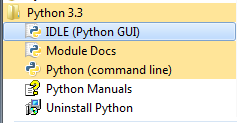
Benefits of Python shell experimentation
- Python shell (REPL: Read-Evaluate-Print Loop) is an interactive environment for executing code line by line or block by block
- Enables quick testing and experimentation with code snippets, providing immediate feedback on execution and output
- Helps understand how Python interprets and executes code
- Useful for exploring new libraries (NumPy), functions, or language features
- Supports interactive debugging by allowing inspection of variables and state
- Available as default Python shell (
pythonorpython3in terminal), enhanced IPython shell, or integrated shells in IDEs (PyCharm, VS Code, Jupyter Notebooks) - Provides a command line interface for interactive programming

Command history navigation in shells
- Python shells maintain command history, allowing recall and modification of previous commands
- Navigate history using arrow keys:
- Up arrow: Moves to previous command, scrolling through older commands with multiple presses
- Down arrow: Moves to next command (if available), scrolling through newer commands with multiple presses
- Modify and execute commands by navigating to a previous command, editing the text, and pressing Enter
- Additional navigation with Ctrl + P or Alt + P (equivalent to up arrow) and Ctrl + N or Alt + N (equivalent to down arrow)
- Command history is saved across sessions, allowing access to commands from previous Python shell instances
Python Shell Environment
- The Python console displays a prompt (usually
>>>) indicating it's ready for input - Users can enter Python code or shell commands directly at the prompt
- The Python shell (also known as the Python console) provides an environment for immediate code execution and experimentation
- To exit the Python shell, use the
exit()function or press Ctrl + D (Unix-like systems) or Ctrl + Z (Windows)