
Multiplexing and Demultiplexing in the Transport Layer
Multiplexing and demultiplexing are the transport layer functions that let multiple applications share the same network connection. Without them, each application on a host would need its own dedicated link. Multiplexing combines outgoing data streams for transmission, while demultiplexing separates incoming data and delivers it to the correct application using port numbers.
Multiplexing and Demultiplexing Concepts
Multiplexing happens at the sending host. The transport layer gathers data from several application processes, wraps each chunk in a transport-layer header (which includes port information), and passes them down to the network layer as segments. This is how your browser, email client, and file transfer can all send data over the same network interface at the same time.
Demultiplexing is the reverse, performed at the receiving host. The transport layer inspects the header of each incoming segment, reads the port numbers, and routes the data to the correct application socket. If a segment arrives with destination port 443, for example, the transport layer knows to hand it to the HTTPS process, not to your email client.
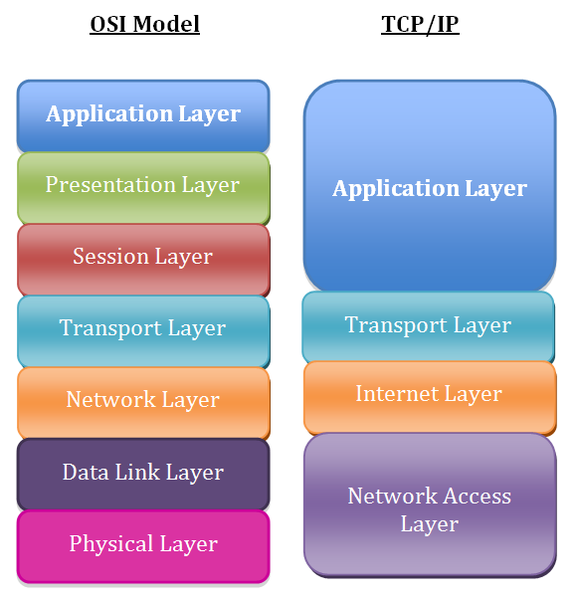
Port Numbers for Application Identification
Port numbers are 16-bit integers (ranging from 0 to 65535) embedded in every transport-layer segment header. Each segment carries two:
- Source port identifies the sending application's socket
- Destination port identifies the receiving application's socket
Ports are divided into ranges:
| Range | Name | Purpose | Examples |
|---|---|---|---|
| 0–1023 | Well-known ports | Reserved for standard services | HTTP (80), HTTPS (443), FTP (21), SMTP (25) |
| 1024–49151 | Registered ports | Assigned to specific applications by IANA | MySQL (3306), PostgreSQL (5432) |
| 49152–65535 | Ephemeral (dynamic) ports | Temporarily assigned to client-side sockets | Your browser picks one per connection |
When your browser opens a connection to a web server, the OS assigns an ephemeral source port (say, 52314) and sets the destination port to 80. The server's reply flips these: its source port is 80, and the destination is 52314.

Transport Layer in Multiple Connections
A single host can maintain many simultaneous connections because each one is identified by a unique 4-tuple:
(source IP, source port, destination IP, destination port)
Two connections to the same web server from the same machine will have different source ports, so the transport layer can tell them apart. This 4-tuple is what defines a socket at the transport layer.
The transport layer maintains separate buffers and state variables for each active connection. That separation ensures data from a file transfer doesn't bleed into a video stream, even though both share the same physical link. This is the core reason multiplexing and demultiplexing matter: they let many applications coexist on one host without interfering with each other.
Connection-Oriented vs. Connectionless Multiplexing
The way demultiplexing works differs between TCP and UDP because they identify connections differently.
Connectionless demultiplexing (UDP) uses only the destination IP and destination port to direct an incoming segment. Two different clients sending UDP datagrams to the same server port will be delivered to the same socket. The application itself must look at the source information in each datagram to distinguish senders.
Connection-oriented demultiplexing (TCP) uses the full 4-tuple. Even if two clients connect to the same server port (say, port 80), the server creates a separate socket for each connection because the source IP and source port differ. This is why a web server can handle thousands of clients on port 80 simultaneously.
| TCP (Connection-Oriented) | UDP (Connectionless) | |
|---|---|---|
| Demux identifier | Full 4-tuple (src IP, src port, dst IP, dst port) | Destination IP + destination port only |
| Connection setup | Three-way handshake required before data transfer | None |
| Delivery guarantees | Reliable, in-order delivery | Unreliable, no ordering guarantees |
| Typical uses | File transfer, web browsing, remote administration | DNS lookups, streaming media, online gaming |
| Per-connection state | Server maintains a separate socket per client | Single socket can serve multiple clients |
The TCP approach gives finer-grained separation at the cost of connection setup overhead. UDP's simpler demultiplexing means less overhead, which is why it's favored for latency-sensitive applications where occasional packet loss is acceptable.