Create your first assignment with guided setup
Set up a class, build one assignment, choose settings, create your account, and publish.
Quick answer
Select Create assignment and follow the guided setup. Fiveable walks you through Your classes, Build your first assignment, Choose your settings, Create your account when needed, and Review and share. Your draft stays in this browser until it can be saved to your account.
Before you start
- Know the AP® subject and class name you want to use.
- If you begin while signed out, use the same browser through account creation so Fiveable can save your draft.
What to do
Add a class
Under Your classes, enter the Class name, choose the Subject, and set the Class time. AP Calculus classes also ask you to choose AB or BC. Select Add class when the details are ready.
Choose whether to add a roster now
Use Paste a roster if you have student names ready. You can also select Skip, they'll fill in on their own. Students can be added when they use a class assignment link.
Build the assignment
Choose an assignment type, then choose the subject, unit, question count, or prompt details that appear for that type. Review the generated sections before moving on.
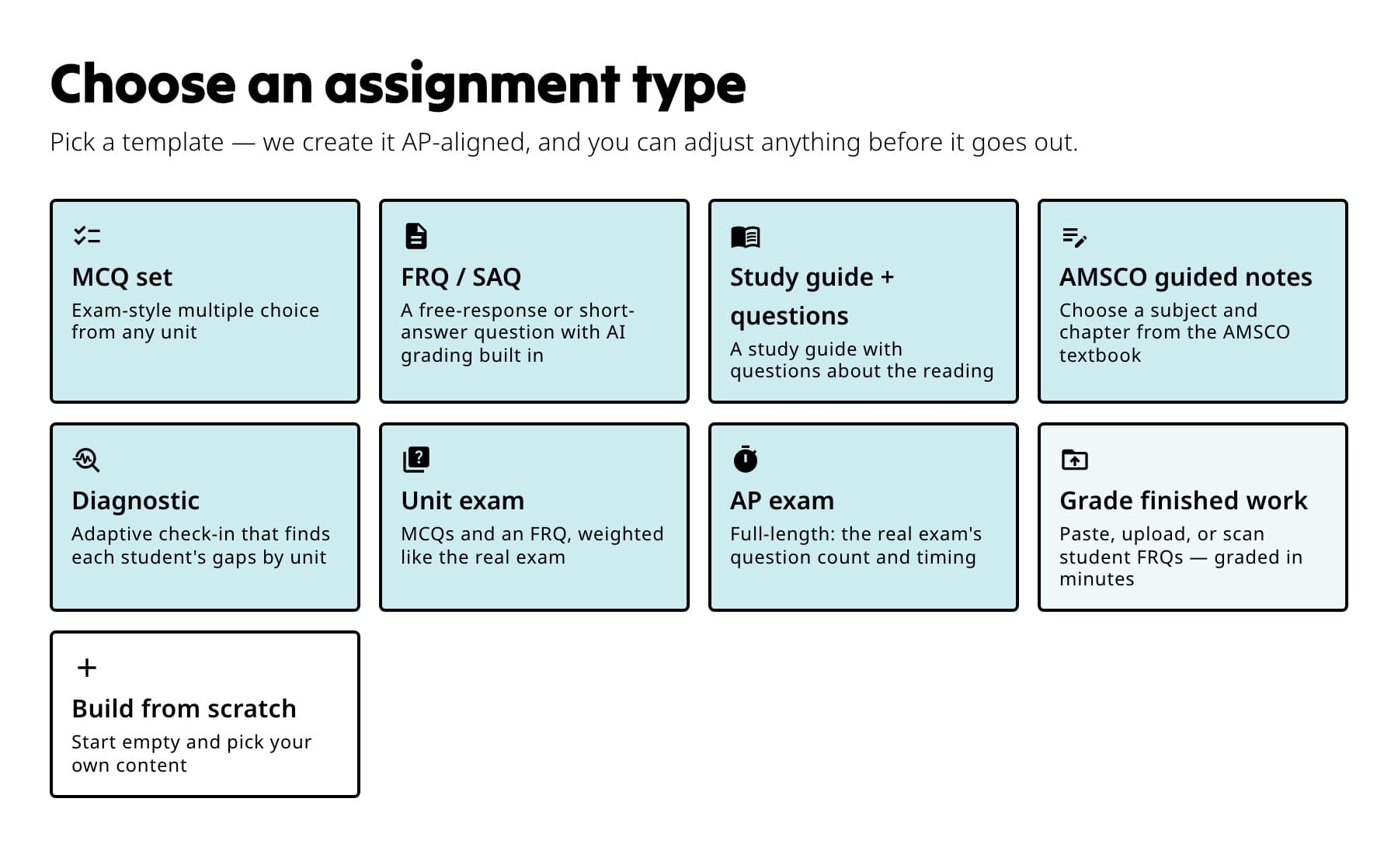
Start with the card that matches what students will do; you can adjust the generated draft next. Choose your settings
Review Auto grade, Reteach, Late work, Timer, Retakes, Release grades, and New attempts. Select Save these as my defaults for new assignments if you want future drafts to begin the same way.
Create or confirm your account
If you started signed out, create your teacher account when Fiveable asks. The guided setup then replays the class and draft into your account.
Review and publish
Confirm the title, class, dates, student instructions, sharing method, and settings. Publish the assignment, then copy the student link or continue to Google Classroom.
What students see
Students open the link, sign in or create a Fiveable account, join the class when the link belongs to one, and select Start assignment. Their work saves to their account.
If something is not working
My draft disappeared before I created an account.
Return in the same browser. A signed-out draft is held locally until account creation, so another browser or cleared browser data cannot restore it.
I cannot move past Your classes.
Make sure at least one class has a name, subject, and class time, then save it before continuing.
Did this guide answer your question?