
Creating stunning visuals is key in biology. R and Python offer powerful tools to make your data pop. From ggplot2 to Matplotlib, these libraries let you craft publication-ready figures that tell your story.
But it's not just about making pretty pictures. Customization is crucial. You'll learn to fine-tune every aspect, from color schemes to error bars, ensuring your visuals are clear, informative, and tailored to your audience.
Biological Visualization with R
Powerful R Packages for High-Quality Visualizations
- Utilize R packages like ggplot2 and Bioconductor for creating high-quality biological visualizations
- ggplot2 is a powerful and flexible R package for creating statistical graphics based on the Grammar of Graphics
- Provides a consistent and layered approach to building plots, allowing for fine-grained control over each visual element
- Supports various plot types (scatter plots, line plots, bar plots, heatmaps)
- Enables aesthetic mappings, faceting, and themes for customizing the appearance of plots
- Bioconductor is an open-source project for the analysis and comprehension of high-throughput genomic data in R
- Offers a wide range of packages for visualizing biological data, such as genomic regions, sequence alignments, and biological networks
- Packages like GenomicRanges, Gviz, and BioCircos enable the visualization of genomic data
- GenomicRanges visualizes genomic annotations
- Gviz visualizes sequencing read coverage
- BioCircos creates circular plots for comparative genomics
Customizing and Fine-Tuning Visualizations in R
- Adjust plot dimensions, aspect ratios, and resolutions to ensure optimal visibility and readability of the visualizations in different contexts (research papers, posters, slide presentations)
- Select appropriate color schemes and palettes that effectively convey the intended message
- Consider factors like color-blindness accessibility, color semantics, and visual aesthetics
- Use color brewer palettes or create custom color schemes to enhance the visual appeal and clarity of the plots
- Customize plot elements to provide clear and informative annotations that aid in the interpretation of the data
- Modify axis labels, tick marks, grid lines, and legends
- Use meaningful and concise labels to describe the data and convey key insights
- Apply suitable scales and transformations to the data to highlight relevant patterns, trends, or comparisons
- Use linear or logarithmic scales depending on the nature of the data
- Normalize or transform data when necessary to improve visualization and interpretation
- Incorporate error bars, confidence intervals, or other statistical measures to communicate the uncertainty or variability associated with the data
Publication-Ready Figures with Python
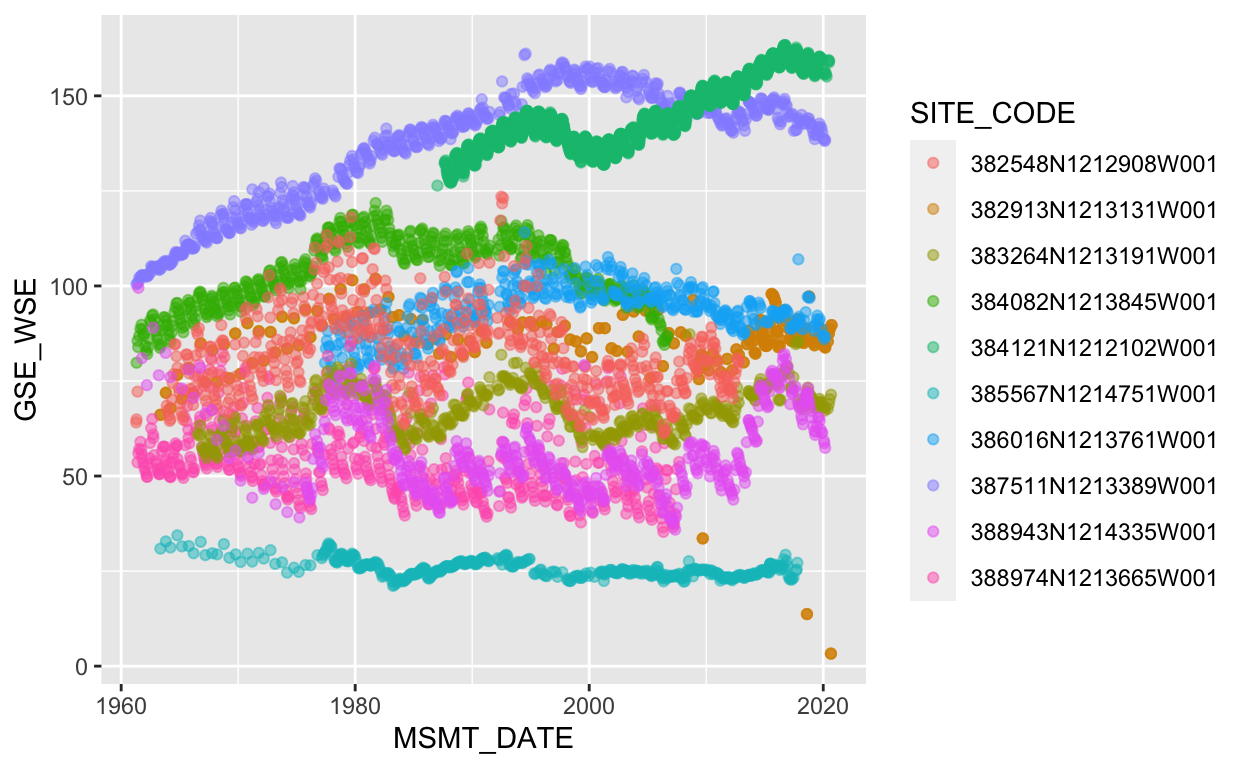
Essential Python Libraries for Data Visualization
- Employ Python libraries such as Matplotlib, Seaborn, and Plotly for generating publication-ready figures
- Matplotlib is a fundamental plotting library in Python that provides a MATLAB-like interface for creating a wide range of static, animated, and interactive visualizations
- Serves as the foundation for many other Python plotting libraries
- Provides fine-grained control over plot elements (axes, labels, titles, legends)
- Supports a wide variety of plot types (line plots, scatter plots, bar plots, histograms)
- Seaborn is a statistical data visualization library built on top of Matplotlib
- Offers a high-level interface for creating informative and attractive statistical graphics
- Provides built-in themes and color palettes that enhance the aesthetics of the plots
- Simplifies the creation of complex plots like heatmaps, violin plots, and regression plots
- Plotly is a web-based plotting library that allows for the creation of interactive and dynamic visualizations
- Supports various plot types (line charts, scatter plots, heatmaps, 3D plots)
- Enables zooming, panning, and hovering over data points for additional information
- Allows for easy sharing and embedding of interactive plots in web pages or Jupyter notebooks
Customization and Styling in Python Visualization Libraries
- These Python libraries provide extensive customization options to create visually appealing and professional-looking figures
- Control plot elements such as axes, labels, titles, and legends to provide clear and informative annotations
- Adjust color schemes, plot styles, and visual aesthetics to match the desired look and feel of the publication or presentation
- Use built-in color palettes or create custom color maps to enhance the visual appeal of the plots
- Modify line styles, marker shapes, and other visual properties to distinguish different data series or categories
- Fine-tune plot layouts, including figure size, subplot arrangements, and spacing between plot elements
- Apply advanced styling techniques, such as adding text annotations, arrows, or shapes, to highlight specific data points or regions of interest
Customization for Scientific Communication

Tailoring Visualizations for Specific Requirements
- Customize and fine-tune visualizations to meet specific requirements for scientific publications and presentations
- Adhere to the specific formatting guidelines and style requirements of the target publication or presentation venue
- Adjust font sizes, line widths, and figure dimensions to comply with the specified guidelines
- Ensure consistency in font choices, color schemes, and overall visual style across all figures in the publication or presentation
- Consider the intended audience and purpose of the visualization when making customization decisions
- Tailor the level of detail, complexity, and annotations based on the expertise and background of the target audience
- Emphasize the key findings or insights that align with the main message or narrative of the publication or presentation
- Optimize the visual encoding and layout of the plots to effectively communicate the data and facilitate understanding
- Choose appropriate plot types (bar plots, line plots, heatmaps) that best represent the nature of the data and the relationships between variables
- Use clear and concise labels, titles, and legends to guide the reader's interpretation of the visualization
- Arrange multiple plots or subplots in a logical and coherent manner to support the flow of information and arguments
Incorporating Statistical Measures and Annotations
- Incorporate error bars, confidence intervals, or other statistical measures to communicate the uncertainty or variability associated with the data
- Use error bars to represent standard deviations, standard errors, or confidence intervals
- Display p-values or significance levels to indicate the statistical significance of observed differences or relationships
- Add annotations, such as text labels or arrows, to highlight specific data points, trends, or outliers
- Provide context or explanations for notable observations or findings
- Draw attention to key comparisons or contrasts within the data
- Include scale bars, color scales, or legends to provide reference points and facilitate accurate interpretation of the visualizations
- Use appropriate units and labels to convey the magnitude and scale of the data
- Ensure that the scales and legends are clearly visible and easily distinguishable
Exporting and Optimizing Visualizations
Saving Visualizations in Suitable File Formats
- Export and optimize visualizations in various file formats for use in different contexts
- Save visualizations in vector graphics formats (PDF, EPS, SVG) for high-quality, scalable images
- Vector graphics maintain sharpness and resolution when resized or printed
- Preferred for publications, as they ensure high-quality reproduction across different media
- Export visualizations in raster graphics formats (PNG, JPEG, TIFF) for use in web-based platforms or presentations
- Raster graphics are compatible with a wide range of software and platforms
- Suitable for on-screen display or when compatibility with specific software is required
- Consider the specific requirements and limitations of the target platform or medium when exporting visualizations
- Choose the appropriate color mode (RGB for digital displays, CMYK for print)
- Ensure transparency support if needed (PNG or TIFF formats)
- Adhere to maximum file size restrictions or image dimensions specified by the platform or publisher
Optimizing File Sizes and Organization
- Optimize file sizes by adjusting compression settings, resolution, or image dimensions
- Balance file size reduction with maintaining acceptable image quality
- Use appropriate compression levels for raster formats (PNG, JPEG) to minimize file size without significant loss of detail
- Resize images to the required dimensions to avoid unnecessary scaling or resizing by the target platform
- Ensure that exported files are properly named and organized for easy retrieval and management
- Follow a consistent naming convention that reflects the content or purpose of each visualization
- Use descriptive file names that include relevant information (plot type, data source, version number)
- Organize exported files in a logical directory structure based on the publication, project, or analysis workflow
- Keep track of the export settings, file formats, and versions used for each visualization
- Document the software, libraries, and versions employed in the creation of the visualizations
- Maintain a record of any post-export modifications or adjustments made to the files
- Version control the visualization files to track changes and facilitate collaboration with colleagues or reviewers