
Combustion CFD software and tools are essential for analyzing complex combustion processes. They combine fluid dynamics, chemical kinetics, and heat transfer models to simulate real-world scenarios. These tools range from industry-leading packages like ANSYS Fluent to specialized software for flame analysis.
Chemical kinetics software, like CHEMKIN and Cantera, complement CFD tools by providing detailed reaction mechanisms. Workflow tools for pre-processing, post-processing, and automation streamline the simulation process, making it easier to set up, run, and analyze combustion simulations efficiently.
Computational Fluid Dynamics (CFD) Software
Industry-Leading CFD Software Packages
- ANSYS Fluent provides comprehensive modeling capabilities for fluid flow, heat transfer, and chemical reactions
- Offers advanced turbulence models and combustion simulations
- Includes tools for mesh generation and adaptive mesh refinement
- Supports parallel processing for large-scale simulations
- OpenFOAM consists of open-source C++ libraries for CFD simulations
- Allows users to develop custom solvers and utilities
- Includes pre-configured solvers for various flow types (incompressible, compressible, multiphase)
- Supports complex geometries and mesh manipulation
- COMSOL Multiphysics enables coupling of fluid dynamics with other physical phenomena
- Integrates heat transfer, chemical reactions, and structural mechanics
- Features a user-friendly graphical interface for model setup
- Provides built-in optimization and parametric study tools
Specialized CFD Tools for Combustion Analysis
- Star-CCM+ focuses on simulating complex fluid flows and heat transfer
- Incorporates advanced meshing capabilities for intricate geometries
- Offers a wide range of turbulence models and combustion mechanisms
- Supports co-simulation with other CAE software
- FDS (Fire Dynamics Simulator) specializes in fire-driven fluid flow simulations
- Developed by NIST for low-speed, thermally-driven flows
- Includes models for pyrolysis, combustion, and smoke transport
- Provides coupling with evacuation models for fire safety analysis
Chemical Kinetics Software
Comprehensive Chemical Kinetics Modeling Tools
- CHEMKIN facilitates detailed chemical kinetics simulations for combustion processes
- Includes extensive reaction mechanism databases
- Supports various reactor models (perfectly stirred reactor, plug flow reactor)
- Enables sensitivity analysis and reaction path diagnostics
- Cantera offers an object-oriented software suite for chemical kinetics, thermodynamics, and transport processes
- Provides interfaces for multiple programming languages (Python, MATLAB, C++)
- Supports equilibrium calculations and flame speed predictions
- Allows integration with CFD codes for detailed chemistry simulations
Advanced Flame Analysis Software
- FlameMaster specializes in laminar flame simulations and chemical kinetics analysis
- Calculates laminar flame speeds and flame structures
- Performs sensitivity analysis for reaction mechanisms
- Supports mechanism reduction techniques for efficient computations
Simulation Workflow Tools
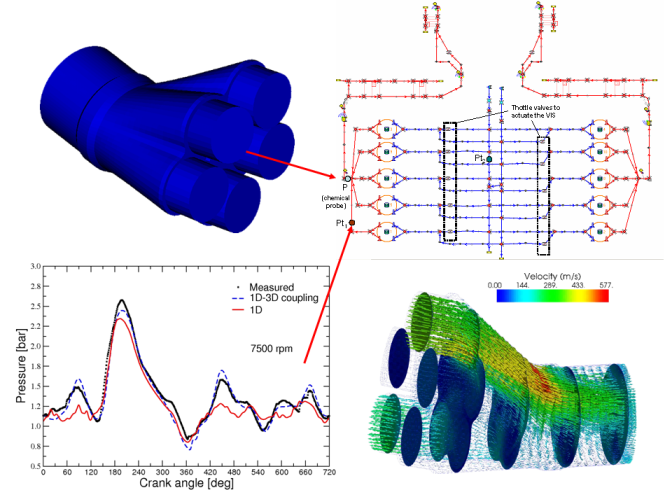
Pre-processing Software for CFD Simulations
- Geometry creation tools transform CAD models into suitable formats for CFD analysis
- Includes software like SolidWorks, CATIA, and SpaceClaim
- Allows simplification and de-featuring of complex geometries
- Meshing software generates computational grids for numerical simulations
- Includes tools like ANSYS Meshing, Pointwise, and ICEM CFD
- Supports various mesh types (structured, unstructured, hybrid)
- Enables mesh refinement in critical regions for improved accuracy
Post-processing and Visualization Tools
- Post-processing software extracts meaningful results from simulation data
- Includes tools like ParaView, Tecplot, and EnSight
- Enables calculation of derived quantities (vorticity, turbulence intensity)
- Supports statistical analysis and data reduction techniques
- Visualization tools create graphical representations of simulation results
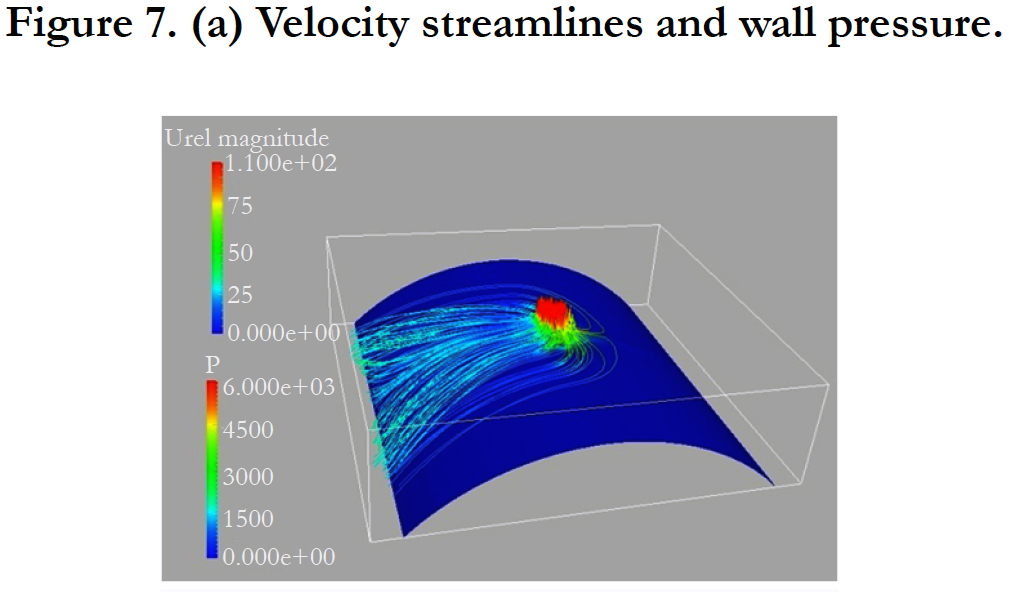
- Generates contour plots, vector fields, and streamlines
- Allows creation of animations for time-dependent phenomena
- Supports comparative analysis of multiple simulation cases
Workflow Management and Automation Tools
- Simulation process integration tools streamline the overall CFD workflow
- Includes software like ANSYS Workbench and HEEDS
- Enables parametric studies and design optimization
- Facilitates collaboration and data management in team environments
- Scripting languages automate repetitive tasks in simulation workflows
- Includes Python, MATLAB, and shell scripting
- Allows customization of pre-processing and post-processing steps
- Enables integration of multiple software tools in a single workflow