11.3 Software Tools for Screenwriting

✍️Screenwriting II Unit 11 Review
11.3 Software Tools for Screenwriting
✍️ Screenwriting II
Screenwriting software has revolutionized the way scripts are written and formatted. From industry giants like Final Draft to emerging alternatives like WriterDuet, these tools offer a range of features to streamline the writing process and enhance collaboration.
Beyond basic formatting, modern screenwriting software provides advanced tools for story development, character analysis, and production planning. Cloud-based platforms and collaboration features are becoming increasingly important, reflecting the evolving nature of the film and TV industry.
Popular Screenwriting Software
Industry Standard Software
- Final Draft dominates the screenwriting software market as the industry standard
- Offers comprehensive formatting tools and templates for various script types
- Includes production-friendly features like scene numbering and revision tracking
- Provides a vast library of sample scripts and templates for reference
- Celtx evolved from a free, open-source application to a cloud-based suite
- Offers tools for pre-production planning, including storyboarding and scheduling
- Provides a more affordable option compared to Final Draft
- Includes collaboration features for team projects

Emerging Alternatives
- WriterDuet gained popularity as a cloud-based, real-time collaborative platform
- Allows multiple writers to work on the same script simultaneously
- Offers both online and offline writing capabilities
- Includes version history and commenting features for efficient teamwork
- Fade In presents itself as a modern alternative to traditional screenwriting software
- Provides a clean, intuitive interface with customizable themes
- Supports various file formats, including Final Draft and PDF
- Offers features like dialogue tuner and character highlighting for script analysis
- Highland, created by screenwriter John August, emphasizes simplicity and flexibility
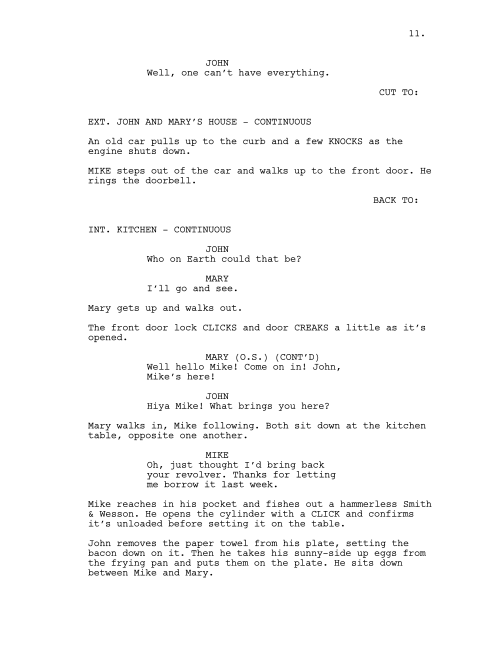
- Uses Fountain, a plain text markup language, as its base format
- Allows writers to focus on content rather than formatting
- Includes gender analysis tools to assess character representation in scripts
Additional Tools and Features
Versatile Writing Environments
- Scrivener offers a comprehensive writing environment beyond just screenwriting
- Provides tools for organizing research, notes, and character development
- Allows writers to break down scripts into manageable sections or scenes
- Includes a cork board feature for visualizing story structure and rearranging scenes
- Formatting automation streamlines the screenwriting process across various software
- Automatically applies industry-standard formatting rules (margins, indentations)
- Includes shortcuts for quickly switching between scene headings, action, and dialogue
- Offers templates for different script types (feature films, TV shows, stage plays)
Collaborative Functionalities
- Collaboration features enhance team-based screenwriting projects
- Real-time editing allows multiple writers to work on the same script simultaneously
- Version control tracks changes and allows easy comparison between drafts
- Commenting systems facilitate discussions and feedback within the script
- Cloud-based storage ensures all team members have access to the latest version
- Integration with project management tools (Trello, Asana) for coordinating tasks
See Fiveable more often in Google
Mark Fiveable as a preferred source and Google is more likely to show you our guides in Top Stories, with a "preferred" badge in AI Mode and AI Overviews.